


 Compare
@font-face {font-family: “Samsung Medium”;font-display: auto;font-fallback: Arial;font-weight: 500;src: url(https://soundmachine.com.mt/wp-content/uploads/2021/08/SamsungOne-500.woff) format(‘woff’);} @font-face {font-family: “SamsungOne”;font-display: auto;font-fallback: ;font-weight: 200;src: url(https://soundmachine.com.mt/wp-content/uploads/2021/08/SamsungOne-200.woff) format(‘woff’);}@font-face {font-family: “SamsungOne”;font-display: auto;font-fallback: ;font-weight: 300;src: url(https://soundmachine.com.mt/wp-content/uploads/2021/08/SamsungOne-300.woff) format(‘woff’);}@font-face {font-family: “SamsungOne”;font-display: auto;font-fallback: ;font-weight: 400;src: url(https://soundmachine.com.mt/wp-content/uploads/2021/08/SamsungOne-400.woff) format(‘woff’);}@font-face {font-family: “SamsungOne”;font-display: auto;font-fallback: ;font-weight: 500;src: url(https://soundmachine.com.mt/wp-content/uploads/2021/08/SamsungOne-500.woff) format(‘woff’);}@font-face {font-family: “SamsungOne”;font-display: auto;font-fallback: ;font-weight: 600;src: url(https://soundmachine.com.mt/wp-content/uploads/2021/08/SamsungOne-600.woff) format(‘woff’);}@font-face {font-family: “SamsungSharpSans”;font-display: auto;font-weight: 700;src: url(https://soundmachine.com.mt/wp-content/uploads/2022/08/SamsungSharpSans-Bold.woff) format(‘woff2’);} #ch-PDP{font-size:16px;-webkit-text-size-adjust:100%;-moz-text-size-adjust:100%;-ms-text-size-adjust:100%;text-size-adjust:100%;max-width:90em;margin:0 auto;background:#fff;line-height:1;-webkit-box-sizing:border-box;-moz-box-sizing:border-box;box-sizing:border-box}@media (min-width:768px){#ch-PDP{padding-bottom:6.875em}}@media (max-width:767.98px){#ch-PDP{padding-bottom:5em}}#ch-PDP div,#ch-PDP h2,#ch-PDP h3,#ch-PDP p,#ch-PDP section,#ch-PDP span,#ch-PDP sup,#ch-PDP ul{margin:0;padding:0;border:0;font:inherit;vertical-align:baseline}#ch-PDP img,#ch-PDP li{margin:0;padding:0;border:0;font:inherit}#ch-PDP li{vertical-align:baseline;background:0 0}#ch-PDP section{display:block}#ch-PDP ul{list-style:none}#ch-PDP .ch-disclaimer__item:before,#ch-PDP li:after,#ch-PDP li:before{display:none}#ch-PDP *,#ch-PDP :after,#ch-PDP :before{-webkit-box-sizing:inherit;-moz-box-sizing:inherit;box-sizing:inherit}#ch-PDP .ch-img,#ch-PDP img{width:auto;max-width:100%;height:auto;vertical-align:middle}#ch-PDP,#ch-PDP li,#ch-PDP p{font-family:”SamsungOne”,Arial,sans-serif!important;color:#000}#ch-PDP .ch-headline,#ch-PDP .ch-subheadline{text-align:center;color:#000}#ch-PDP .ch-disclaimer__item,#ch-PDP .ch-paragraph{text-align:center}#ch-PDP .ch-headline{font-family:”SamsungSharpSans”,Arial,sans-serif!important;font-weight:800}#ch-PDP .ch-disclaimer__item,#ch-PDP .ch-paragraph,#ch-PDP .ch-subheadline{font-family:”SamsungOne”,Arial,sans-serif!important}#ch-PDP .ch-subheadline{font-weight:700}#ch-PDP .ch-disclaimer__item,#ch-PDP .ch-paragraph{font-weight:400;color:#000}#ch-PDP .ch-sup{font-size:.6em;vertical-align:baseline;position:relative;top:-.7em}#ch-PDP .ch-nowrap{white-space:nowrap}#ch-PDP .ch-headline{line-height:1.2}@media (min-width:1200px){#ch-PDP .ch-headline{font-size:3em}}@media (max-width:1199.98px){#ch-PDP .ch-headline{font-size:2.6875em}}@media (max-width:767.98px){#ch-PDP .ch-headline{font-size:2.5em;line-height:1.35}}@media (max-width:575.98px){#ch-PDP .ch-headline{font-size:1.75em}}#ch-PDP .ch-subheadline{margin-top:.9em;line-height:1.5}@media (min-width:768px){#ch-PDP .ch-subheadline{font-size:1.25em;margin-top:1.8125em;margin-bottom:1.1875em}}@media (max-width:767.98px){#ch-PDP .ch-subheadline{font-size:1.0625em;margin-bottom:1.125em}}#ch-PDP .ch-paragraph{margin-top:.8em;line-height:1.778!important}@media (min-width:768px){#ch-PDP .ch-paragraph{font-size:1.125em}}@media (max-width:767.98px){#ch-PDP .ch-paragraph{font-size:1em}}@media (max-width:575.98px){#ch-PDP .ch-paragraph{font-size:.9375em}}#ch-PDP .ch-disclaimer{margin-top:3.125em}@media (min-width:768px){#ch-PDP .ch-disclaimer{font-size:.75em}}@media (max-width:767.98px){#ch-PDP .ch-disclaimer{font-size:.625em}}#ch-PDP .ch-paragraph+.ch-disclaimer{margin-top:2.1875em}#ch-PDP .ch-disclaimer__item{padding:0;background:0 0;line-height:1.5}@media (min-width:768px){#ch-PDP .ch-headline+p{margin-top:1.05em}#ch-PDP .ch-flex .ch-disclaimer__item,#ch-PDP .ch-flex .ch-headline,#ch-PDP .ch-flex .ch-paragraph,#ch-PDP .ch-flex .ch-subheadline{text-align:left}#ch-PDP .ch-flex .ch-subheadline{margin-top:1em;margin-bottom:1.15625em}#ch-PDP .ch-flex .ch-disclaimer{margin-top:2.1875em}}#ch-PDP .ch-flex{max-width:90em;margin:0 auto}@media (min-width:768px){#ch-PDP .ch-flex{display:-webkit-box;display:-webkit-flex;display:-moz-box;display:flex}#ch-PDP .ch-flex-col-6{-webkit-flex-basis:50%;flex-basis:50%}}#ch-PDP .ch-flex-col-inner{margin:0 auto;padding-left:1.875em;padding-right:1.875em}@media (min-width:768px){#ch-PDP .ch-flex-col-inner{padding:1.875em;max-width:33.75em}}@media (min-width:1440px){#ch-PDP .ch-flex-col-inner{padding-bottom:2.4375em}}#ch-PDP .ch-flex–reverse{-webkit-box-orient:horizontal;-webkit-box-direction:reverse;-webkit-flex-direction:row-reverse;-moz-box-orient:horizontal;-moz-box-direction:reverse;flex-direction:row-reverse}#ch-PDP .ch-flex–alignItemsCenter{-webkit-box-align:center;-webkit-align-items:center;-moz-box-align:center;align-items:center}@media (max-width:767.98px){#ch-PDP .ch-flex-table__item–paddingTop-md-down{padding-top:5em}}#ch-PDP .ch-container,#ch-PDP .ch-flex-table__item{padding-left:1.875em;padding-right:1.875em}@media (min-width:768px){#ch-PDP .ch-flex-table__item:nth-child(5n+1){-webkit-box-ordinal-group:2;-webkit-order:1;-moz-box-ordinal-group:2;order:1}#ch-PDP .ch-flex-table__item:nth-child(5n+2){-webkit-box-ordinal-group:3;-webkit-order:2;-moz-box-ordinal-group:3;order:2}#ch-PDP .ch-flex-table__item:nth-child(5n+3){-webkit-box-ordinal-group:4;-webkit-order:3;-moz-box-ordinal-group:4;order:3}#ch-PDP .ch-flex-table__item:nth-child(5n+4){-webkit-box-ordinal-group:5;-webkit-order:4;-moz-box-ordinal-group:5;order:4}#ch-PDP .ch-flex-table__item:nth-child(5n+5){-webkit-box-ordinal-group:6;-webkit-order:5;-moz-box-ordinal-group:6;order:5}#ch-PDP .ch-flex-table–two-columns .ch-flex-table__item{width:50%}#ch-PDP .ch-flex-table–three-columns .ch-flex-table__item{width:33.3333333333%}#ch-PDP .ch-flex-table–illustration-top-md-up .ch-flex-table__item.ch-illustration{margin-top:0}#ch-PDP .ch-flex-table–illustration-top-md-up .ch-flex-table__item .ch-disclaimer{margin-top:2.1875em}#ch-PDP .ch-flex-table–illustration-top-md-up .ch-flex-table__item:nth-child(5n-4){margin-top:4.375em}#ch-PDP .ch-flex-table–illustration-top-md-up .ch-flex-table__item:nth-child(5n-6){-webkit-box-ordinal-group:2;-webkit-order:1;-moz-box-ordinal-group:2;order:1}#ch-PDP .ch-flex-table–illustration-top-md-up .ch-flex-table__item:nth-child(5n-5){-webkit-box-ordinal-group:6;-webkit-order:5;-moz-box-ordinal-group:6;order:5}#ch-PDP .ch-flex-table–illustration-top-md-up .ch-flex-table__item:nth-child(5n-4){-webkit-box-ordinal-group:3;-webkit-order:2;-moz-box-ordinal-group:3;order:2}#ch-PDP .ch-flex-table–illustration-top-md-up .ch-flex-table__item:nth-child(5n-3){-webkit-box-ordinal-group:4;-webkit-order:3;-moz-box-ordinal-group:4;order:3}#ch-PDP .ch-flex-table–illustration-top-md-up .ch-flex-table__item:nth-child(5n-2){-webkit-box-ordinal-group:5;-webkit-order:4;-moz-box-ordinal-group:5;order:4}#ch-PDP .ch-flex-table–illustration-top-md-up.ch-flex-table–three-columns .ch-flex-table__item:nth-child(5n-4){margin-top:2.8125em}#ch-PDP .ch-flex-table–illustration-top-md-up.ch-flex-table–three-columns .ch-flex-table__item .ch-disclaimer{margin-top:2.5em}}#ch-PDP .ch-container{margin:0 auto;max-width:90em}#ch-PDP .ch-container-inner{margin:0 auto;max-width:61.25em}#ch-PDP .ch-section{background:#fff}@media (min-width:768px){#ch-PDP .ch-section{padding-top:6.875em}}@media (max-width:767.98px){#ch-PDP .ch-section{padding-top:5em}}@media (min-width:768px){#ch-PDP .ch-section–paddingCorrection{padding-top:7.625em}}#ch-PDP .ch-section–bg-dark{background:#000}#ch-PDP .ch-section–bg-dark .ch-disclaimer__item,#ch-PDP .ch-section–bg-dark .ch-headline,#ch-PDP .ch-section–bg-dark .ch-paragraph,#ch-PDP .ch-section–bg-dark .ch-paragraph .ch-sup,#ch-PDP .ch-section–bg-dark .ch-subheadline,#ch-PDP .ch-section–bg-dark li,#ch-PDP .ch-section–bg-dark p{color:#fff}@media (min-width:768px){#ch-PDP .ch-section–extraPaddingBottom{padding-bottom:6.875em}}@media (max-width:767.98px){#ch-PDP .ch-section–extraPaddingBottom{padding-bottom:5em}}#ch-PDP .ch-illustration{text-align:center;margin-left:auto;margin-right:auto;max-width:90em;display:block}@media (max-width:767.98px){#ch-PDP .ch-illustration{margin-top:2.5em}}@media (min-width:768px){#ch-PDP .ch-illustration{margin-top:4.375em}}@media (min-width:768px){#ch-PDP .ch-disclaimer–md-down{display:none}}@media (max-width:767.98px){#ch-PDP .ch-disclaimer–md-up{display:none}}@media (min-width:768px){#ch-PDP .ch-container–mobileDisclaimers{display:none}}#ch-PDP .ch-disclaimer-logo .ch-disclaimer-logo__item–logo img{width:100%}@media (max-width:767.98px){#ch-PDP .ch-fullWidth-md-down{width:100%}}@media (min-width:768px){#ch-PDP .ch-textAlignLeft-md-up{text-align:left}#ch-PDP .ch-textAlignRight-md-up{text-align:right}}#ch-PDP{padding-bottom:0}#ch-PDP .ch-noPaddingSides{padding-left:0;padding-right:0}#ch-PDP .ch-noMarginTop{margin-top:0}@media (min-width:768px){#ch-PDP .ch-noPaddingTop-md-up{padding-top:0}#ch-PDP .ch-noMarginTop-md-up{margin-top:0}}#ch-PDP .ch-disclaimer-logo{margin-top:2.1875em}@media (min-width:414px){#ch-PDP .ch-disclaimer-logo{display:-webkit-box;display:-webkit-flex;display:-moz-box;display:flex;-webkit-box-align:center;-webkit-align-items:center;-moz-box-align:center;align-items:center}}#ch-PDP .ch-disclaimer-logo .ch-disclaimer-logo__item–logo{width:5.5625em;min-width:5.5625em;margin-right:1.4375em}@media (max-width:413.98px){#ch-PDP .ch-disclaimer-logo .ch-disclaimer-logo__item–logo{margin-bottom:1.4375em;font-size:80%}}#ch-PDP .ch-disclaimer-logo .ch-disclaimer__item,#ch-PDP .ch-disclaimer-logo .ch-headline{text-align:left}#ch-PDP .ch-disclaimer-logo .ch-headline{font-size:1.125em}#ch-PDP .ch-disclaimer-logo .ch-disclaimer{margin-top:.625em}#ch-PDP .ch-disclaimer-logo .ch-disclaimer__item:first-child{margin-bottom:.4375em}#ch-PDP .ch-logo-vde{text-align:right;margin-top:2.0625em}#ch-PDP .ch-logo-vde .ch-container-inner{max-width:75em}#ch-PDP .ch-logo-vde__img{width:4.25em;-webkit-border-radius:.5em;-moz-border-radius:.5em;border-radius:.5em;overflow:hidden;margin-left:auto}@media (max-width:767.98px){#ch-PDP .ch-logo-vde__img{margin:0 auto}}#ch-PDP .ch-bottom-disclaimers{margin-top:.375em}#ch-PDP .ch-bottom-disclaimers .ch-disclaimer__item{text-align:left;margin-bottom:.828125em}#ch-PDP .ch-bottom-disclaimers .ch-container-inner{max-width:75.3125em}
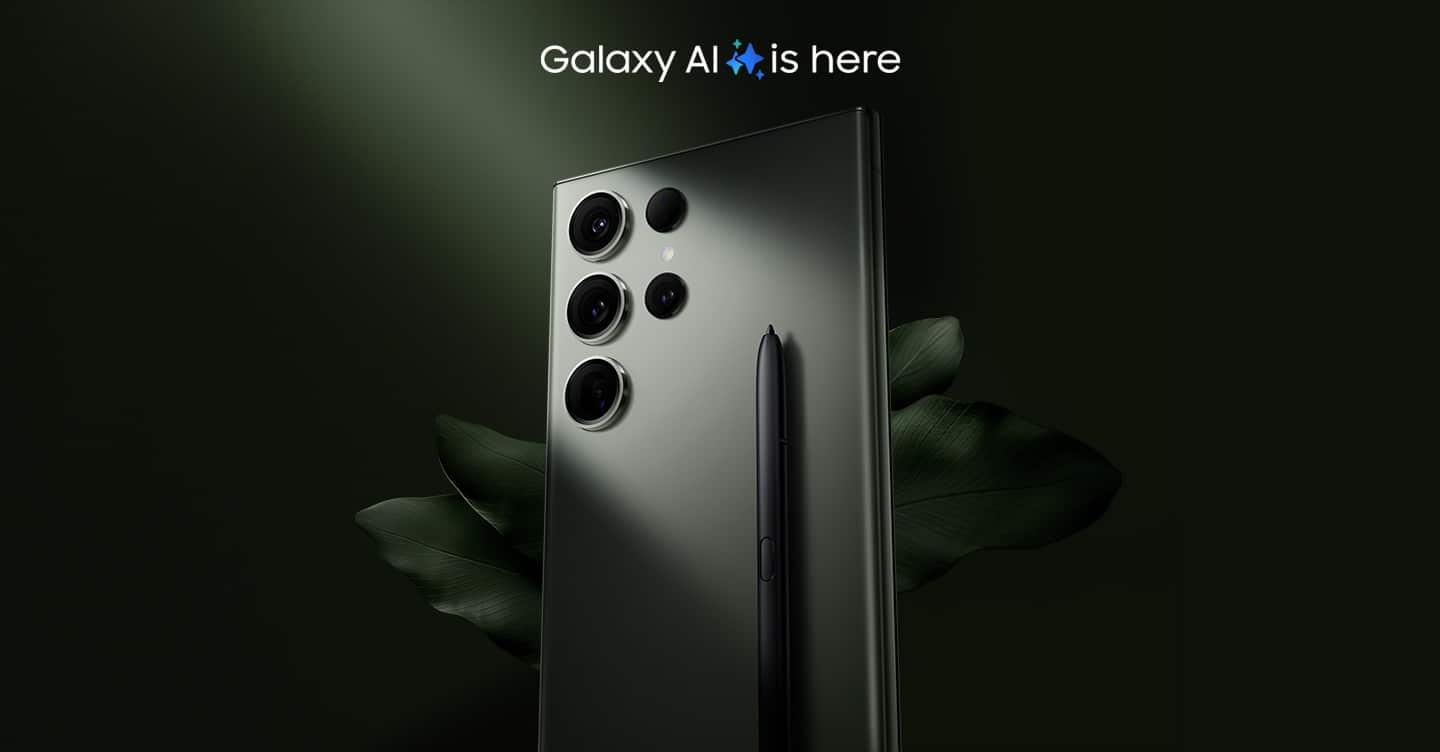
Galaxy S23 Ultra
- *Samsung Account login may be required to use certain Samsung AI features.
- *Samsung does not make any promises, assurances or guarantees as to the accuracy, completeness or reliability of the output provided by AI features.
- *Images simulated for illustrative purposes. Sequences shortened and simulated. Actual UI may be different.
- *Galaxy AI features will be provided for free until the end of 2025 on supported Samsung Galaxy devices. Different terms may apply for AI features provided by third parties.
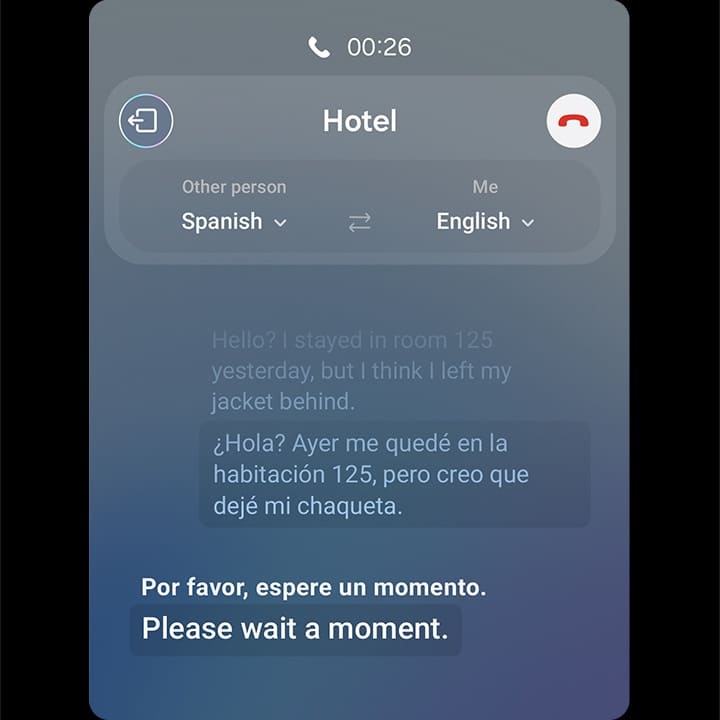
The easiest way to communicate
Get real-time interpretation while you’re on the phone. Speak in your own language and it’ll get translated on their end, too.
- *Live Translate requires a network connection and Samsung Account login. Live Translate is only available on the pre-installed Samsung Phone app. Certain languages may require language pack download. Service availability may vary by language. Accuracy of results is not guaranteed.
- *Live Translate requires a network connection and Samsung Account login. Live Translate is only available on the pre-installed Samsung Phone app. Certain languages may require language pack download. Service availability may vary by language. Accuracy of results is not guaranteed.
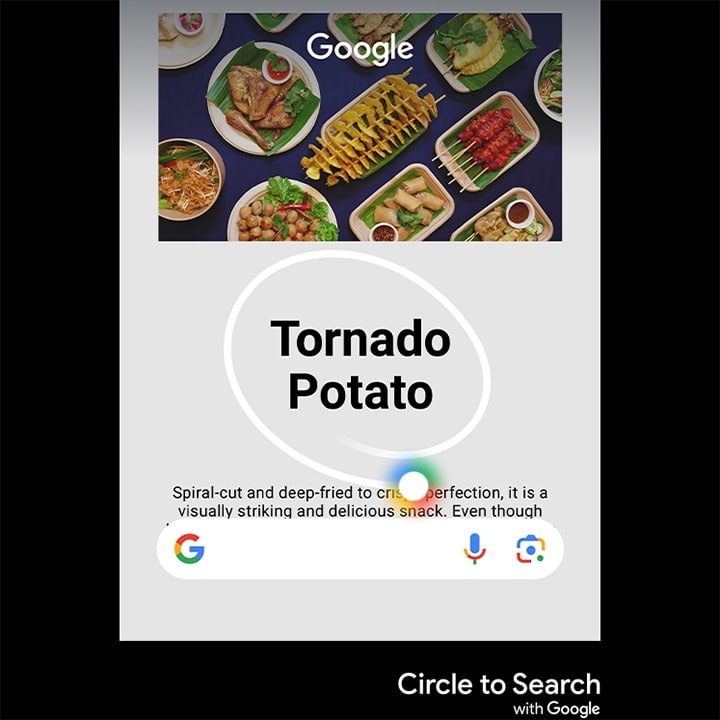
Circle it, find it. Just like that
Search like never before with Circle to Search. Simply trace an object to get Google Search results. No typing required.
- *Sequences shortened and simulated. Results for illustrative purposes only. Results may vary depending on visual matches. Requires internet connection. Users may need to update Android to the latest version. Product functionality may be dependent on your app and device settings. Some functions may not be compatible with certain apps. Availability of the service varies by country and language. Accuracy of results is not guaranteed.
- *Sequences shortened and simulated. Results for illustrative purposes only. Results may vary depending on visual matches. Requires internet connection. Users may need to update Android to the latest version. Product functionality may be dependent on your app and device settings. Some functions may not be compatible with certain apps. Availability of the service varies by country and language. Accuracy of results is not guaranteed.
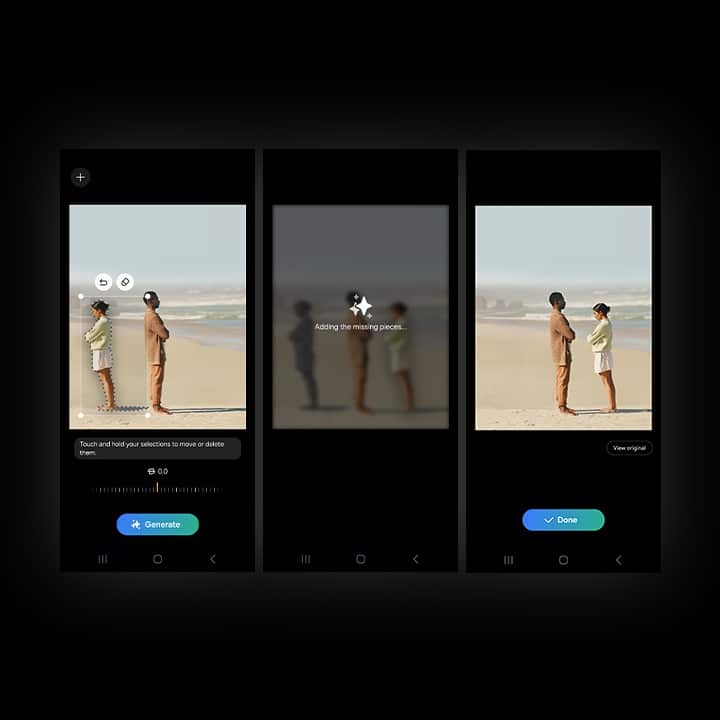
Resize it, retouch it. Just like that
New AI editing options let you get the photo you wanted, letting you relocate objects and intelligently fill in the space they left behind.
- *Generative Edit requires a network connection and Samsung Account login. Editing with Generative Edit results in a resized photo up to 12MP. A visible watermark is overlaid on the image output upon saving in order to indicate that the image is generated by AI. The accuracy and reliability of the generated output is not guaranteed.
- *Generative Edit requires a network connection and Samsung Account login. Editing with Generative Edit results in a resized photo up to 12MP. A visible watermark is overlaid on the image output upon saving in order to indicate that the image is generated by AI. The accuracy and reliability of the generated output is not guaranteed.
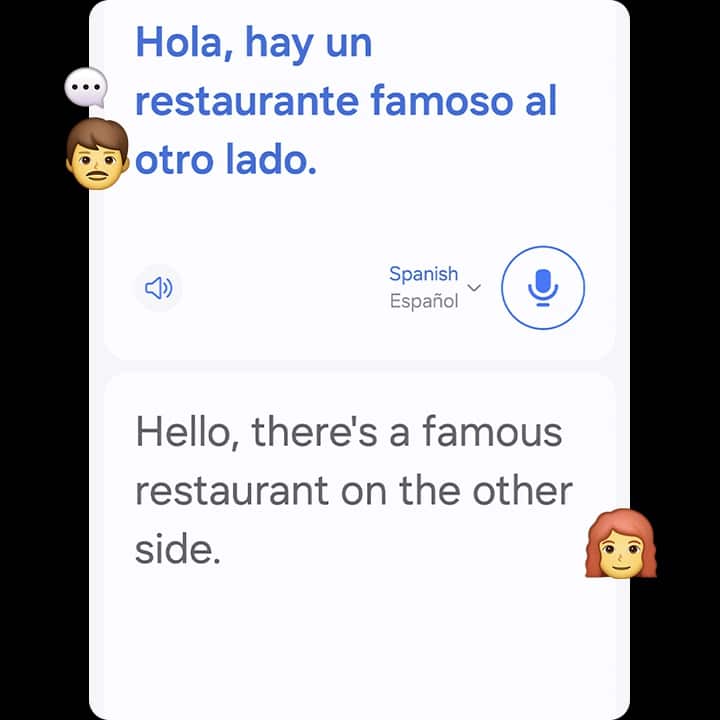
An Interpreter in your pocket
Want to ask a local for a recommendation? Don’t worry! There’s an interpreter in your pocket. Enjoy it even in airplane mode with no Wi-Fi.
- *Interpreter requires Samsung Account login. Certain languages may require language pack download. Service availability may vary by language. Accuracy of results is not guaranteed. Availability and supported features may vary by country, region or carrier. Availability of supported languages may vary.
- *Interpreter requires Samsung Account login. Certain languages may require language pack download. Service availability may vary by language. Accuracy of results is not guaranteed. Availability and supported features may vary by country, region or carrier. Availability of supported languages may vary.
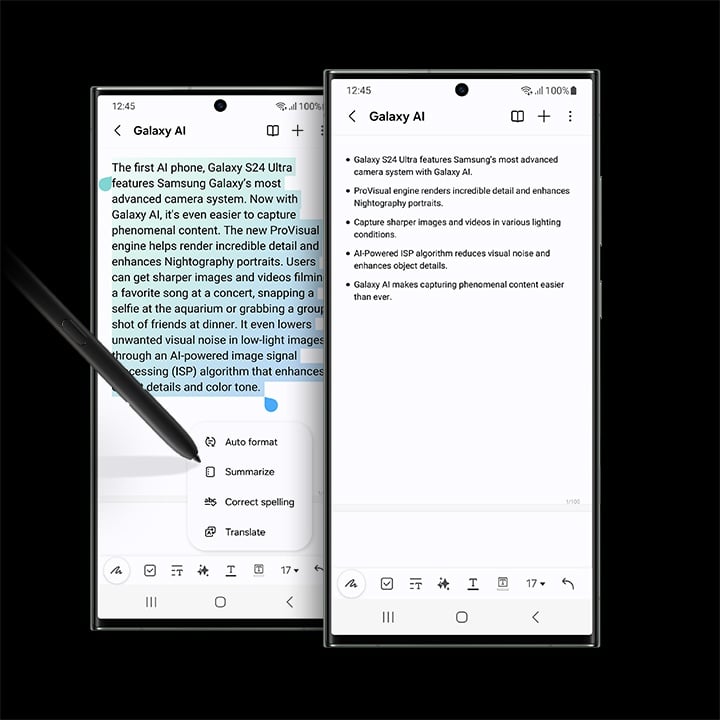
Summarize Notes in the blink of an AI
Whether you’re typing up a storm or jotting something down, Note Assist makes a long story short. Simply start writing, and format it into a clear, easy-to-review summary later. And when you’re looking for an old note, the new covers show simple summaries — keeping your screen looking organized.
- *Note Assist requires a network connection and Samsung Account login. Character limit applies. Service availability may vary by language. Accuracy of results is not guaranteed.
- *Note Assist requires a network connection and Samsung Account login. Character limit applies. Service availability may vary by language. Accuracy of results is not guaranteed.
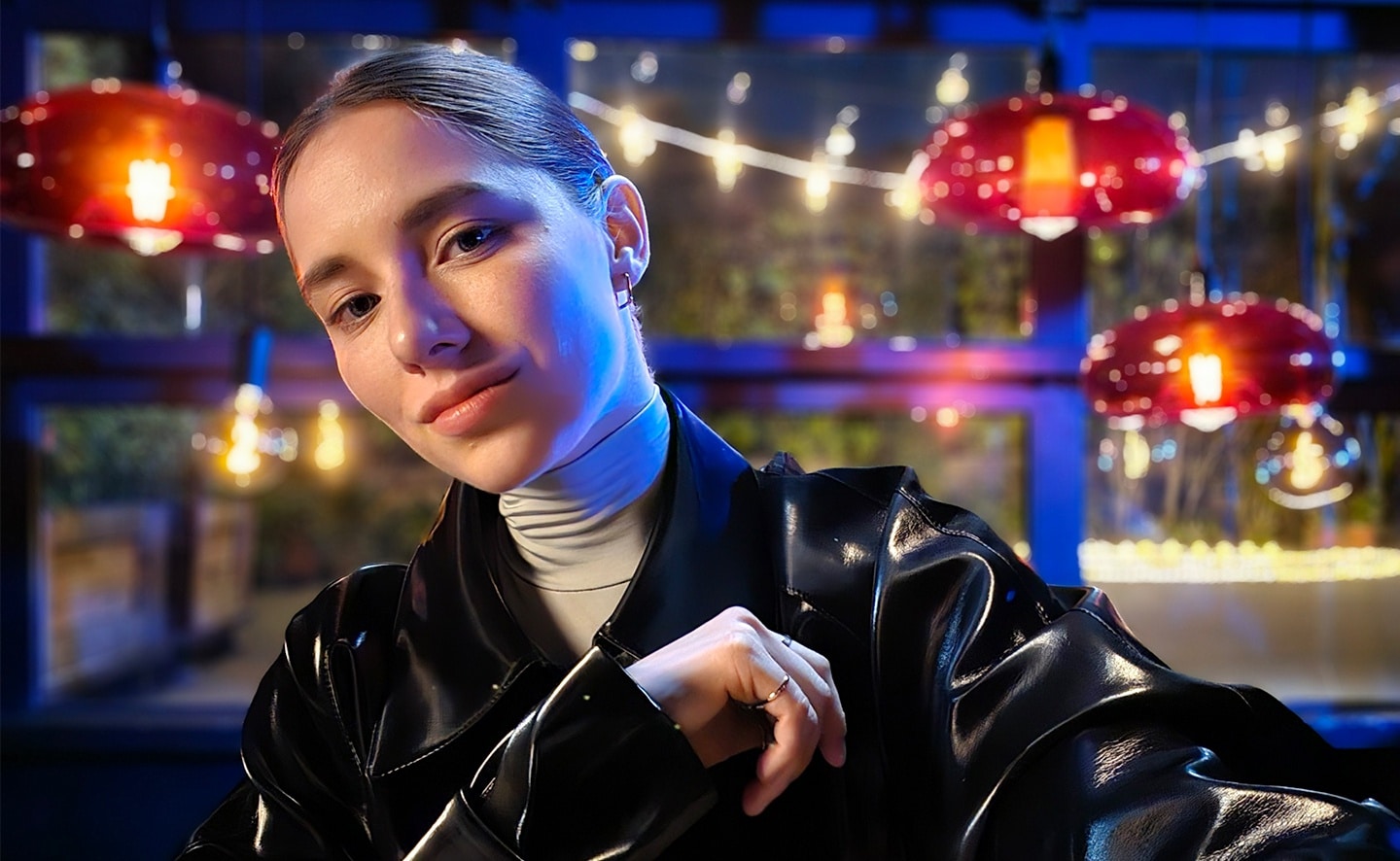
Low light. Camera. Action
Take crisp photos and videos, from dusk until dawn. Galaxy’s most advanced camera sensor and fastest processor accommodate low light and reduce noise. And even the camera lens clears up the capture by toning down flare.
Power for those who don’t pause
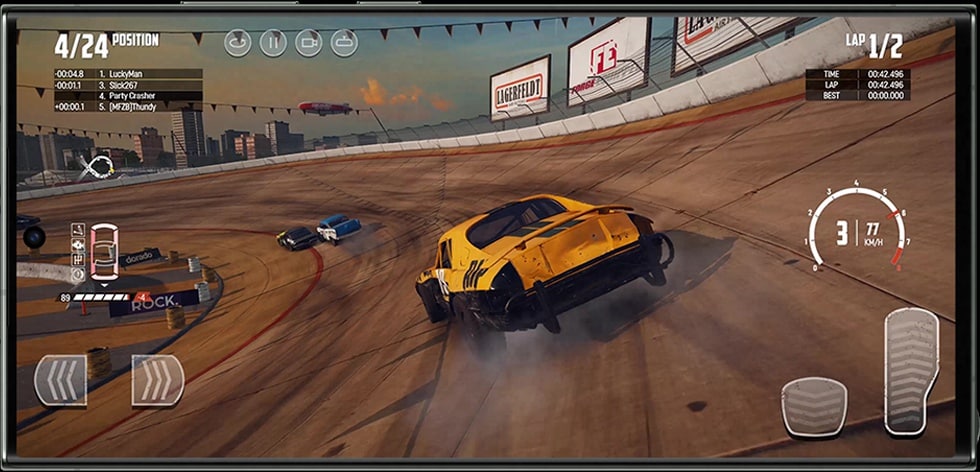
Maximize your free time with the most powerful chip on a Galaxy smartphone. Improved features across the board means everything from gaming to streaming is optimized and seamless — without draining the battery.
- *Wreckfest ©2022 THQ Nordic AB, Sweden. Wreckfest is a registered trademark of THQ Nordic AB, Sweden. All rights reserved. All other trademarks, logos, and copyrights are property of their respective owners. Available for purchase in Samsung Galaxy Store and other app stores in select countries. It is not suitable for persons under 3 years of age.
World’s fastest Snapdragon1
- Snapdragon® 8 Gen 2 Mobile Platform for Galaxy
- *Snapdragon is a product of Qualcomm Technologies, Inc. and/or its subsidiaries.
- *Snapdragon is a trademark or registered trademark of Qualcomm Incorporated.
Designed with the planet in mind
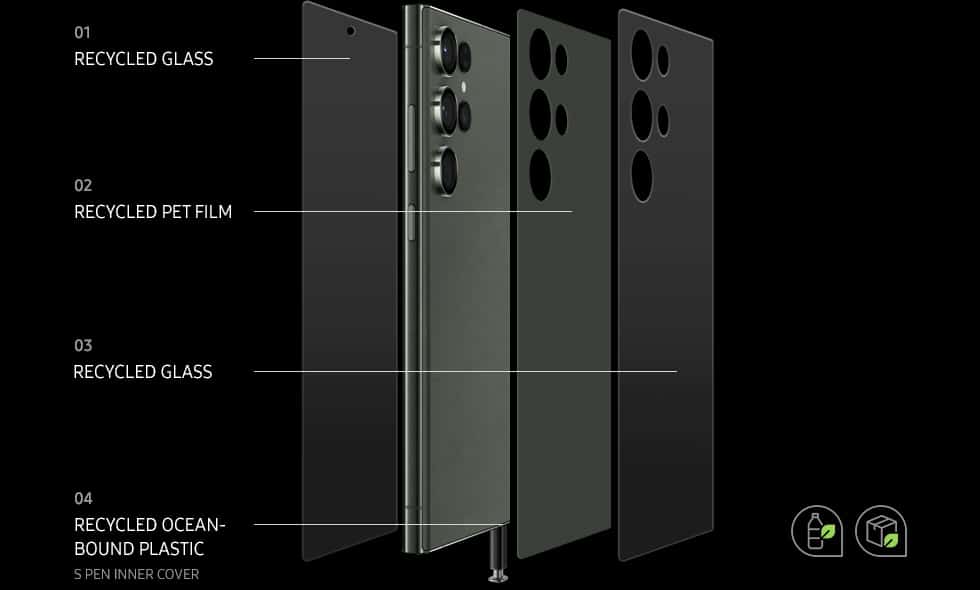
The use of conscious materials makes this our most eco-friendly smartphone ever.2,3 Recycled glass and PET film accent the phone’s exterior, and box made from recycled paper makes it planet-loving from the moment it hits your hands.4
Raw power, from snap to edit
Switch into Expert RAW to finesse in greater detail.5 Snap in 50MP for detailed, dynamic frames, or expand your repertoire with astrophoto, multiple exposure and other exposure features.
Astrophoto
Grab more detail, even in the dark. Set exposure manually or let the camera choose, then point it skyward to capture planets and constellations with clarity.

A brighter future in sight
Dynamic AMOLED 2X delivers clear, colorful details onscreen, whether dimmed down low or full-blast brightness.6 And 120Hz technology intelligently optimizes the refresh rate to smooth out action and save on battery.
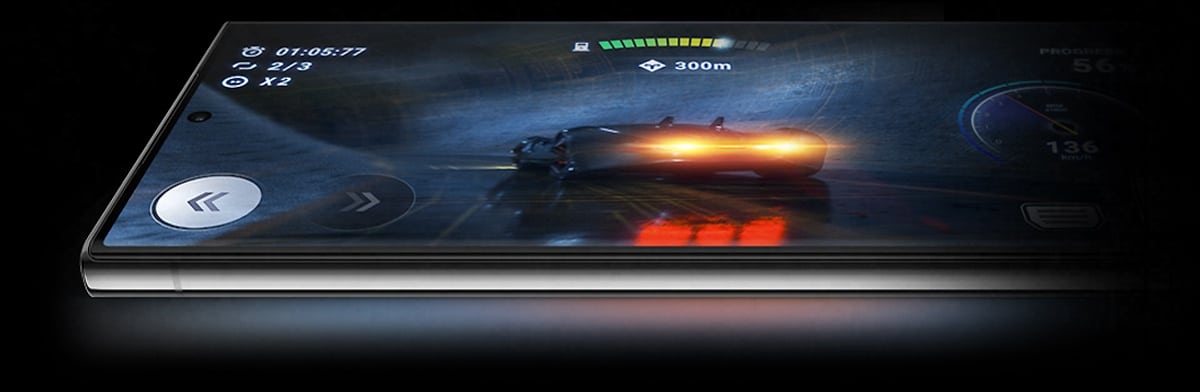
- *Image simulated for illustrative purposes. Actual UI may be different.
Bring on the boss battles
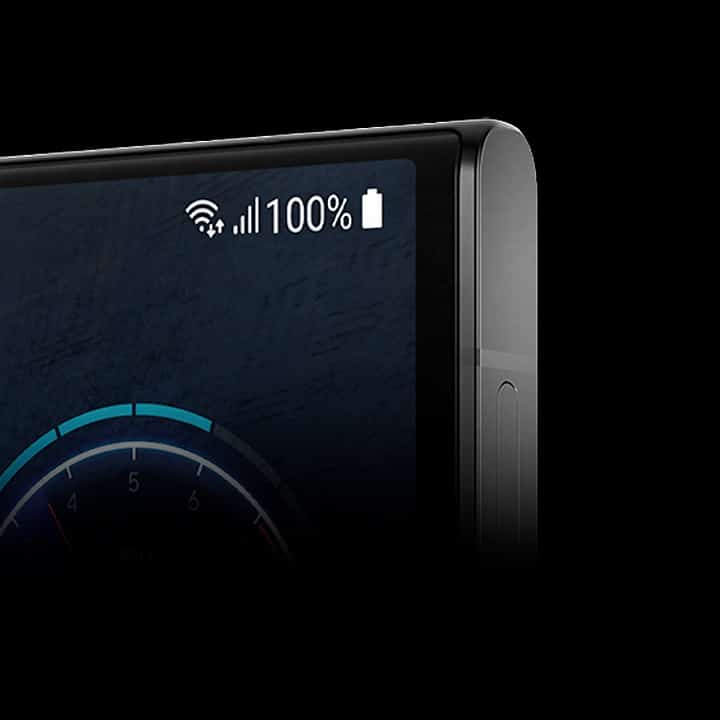
Meet the long-lasting battery made to fuel your victories. This intelligent 5000mAh (typical) battery saves power for go time, so you can game and stream into the night.7
- *Image simulated for illustrative purposes. Actual UI may be different.
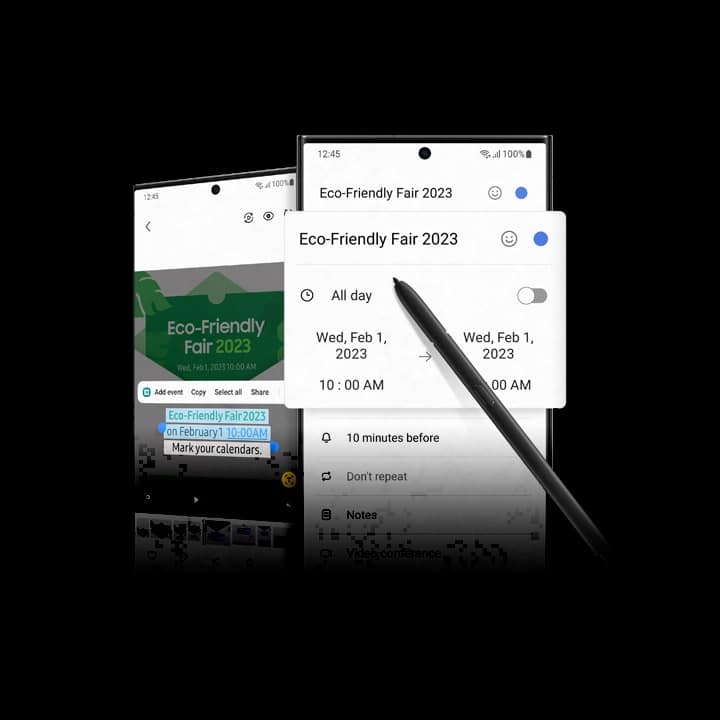
Do more with every pen stroke
Any pen can write words, but S Pen helps you capture them. Highlight event info from a poster or video, then simply tap to save the date straight into your calendar.8
- *Image simulated for illustrative purposes. Actual UI may be different.
Multitasking meets Multi control
Start on your phone and move as your ideas grow. With continuity across Galaxy devices, you can stick to a single mouse, keyboard or touchpad to drop text and images to your PC easily, then go back to the phone when it’s time to run.9,10,11,12
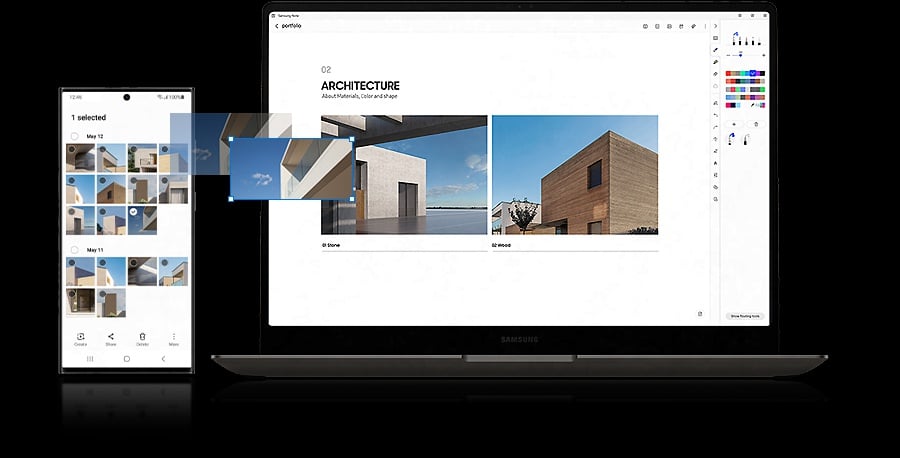
- *Image simulated for illustrative purposes. Actual UI may be different.
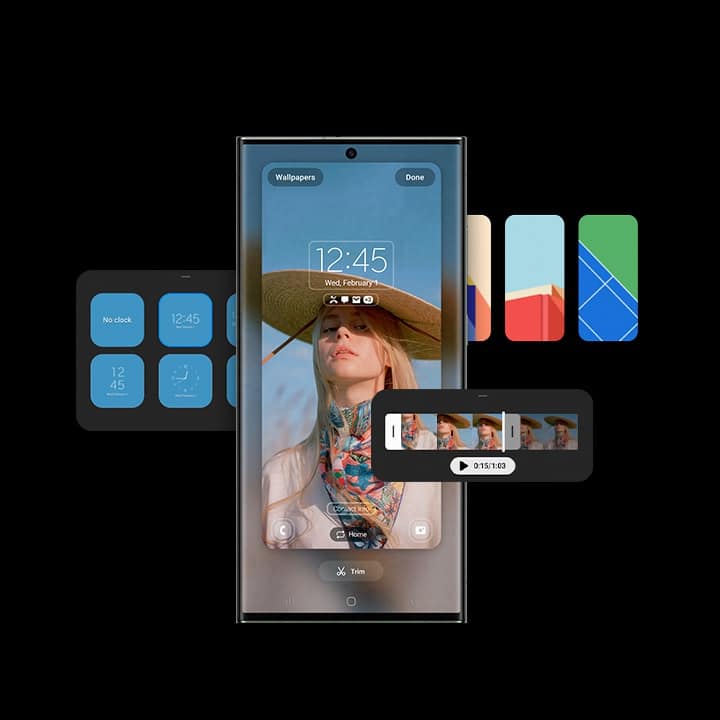
Your Galaxy, the way you like it
Now it’s easier than ever to set your phone up just for you. One UI maximizes customization, allowing you to pick almost every detail, from lock screens and themes to widgets and notifications.
- *Image simulated for illustrative purposes. Actual UI may be different.
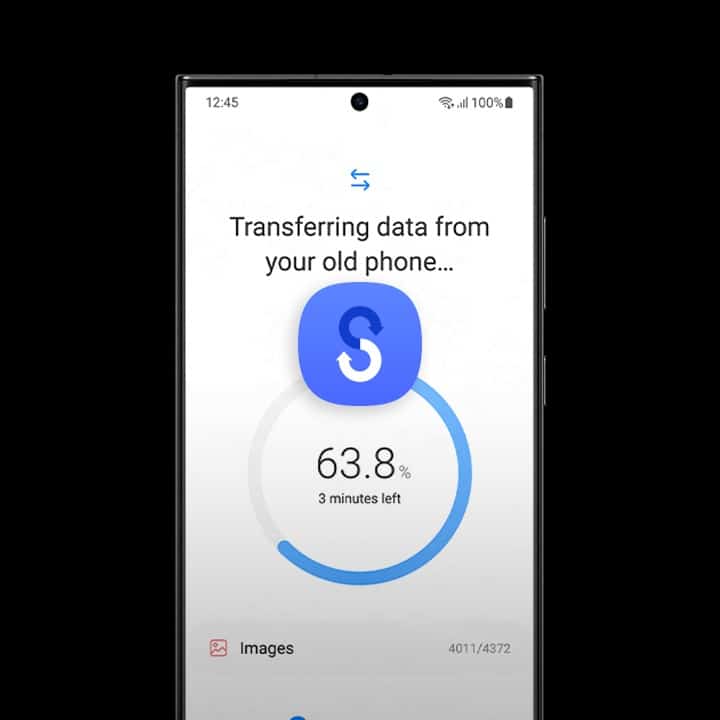
We made keeping your data easy
In just a simple Wi-Fi transfer or quick log in to your Samsung Account, you’re all set. In even fewer steps, carry over your apps, photos, messages and more from any OS to your new phone.13,14
- *Image simulated for illustrative purposes. Actual UI may be different.
- 1. Specific to Galaxy S23 series until April 30, 2023, based on specs and industry benchmarks conducted by Qualcomm Technologies, Inc.
- 2. The S Pen inner cover located within the S Pen slot contains a minimum of 20% ocean-bound polyamide (PA). The front and back glass contain an average of 22% recycled content. The back glass deco film contains a minimum of 80% recycled content. The above measurements are based on weight.
- 3. Glass PET film, recycled glass and ocean-bound plastic received environmental claim validation (ECV).
- 4. Paper packaging is made of 100% recycled paper, excluding the seal label and shrinkage vinyl. Window protection paper is made of 100% recycled paper. Measurements are based on weight.
- 5. Expert RAW must be downloaded separately from the Galaxy Store, for free, before use. Supported on S23 Series devices, S22 Series devices, S21 Ultra, S20 Ultra, Note20 Ultra, Z Fold4, Z Fold3 and Z Fold2.
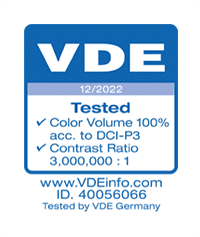
- 6. The Dynamic AMOLED 2X display with Vision Booster on Galaxy S23 Ultra received a certification from VDE Germany for 100 percent Mobile Color Volume in the DCI-P3 color range, which means your images aren’t washed out and you’ll get unbelievably vivid colors regardless of differing levels of brightness. The display can achieve peak brightness of up to 1750 nits, improving the contrast between dark and light aspects of digital content for a more brilliant picture quality, with a 3,000,000:1 contrast ratio to make your mobile experience more immersive.
- 7. Typical value tested under third-party laboratory condition. Typical value is the estimated average value considering the deviation in battery capacity among the battery samples tested under IEC 61960 standard. Rated capacity is 3785mAh for Galaxy S23, 4565mAh for Galaxy S23+ and 4855mAh for Galaxy S23 Ultra. Actual battery life may vary depending on network environment, usage patterns and other factors.
- 8. Features and app availability may vary by region.
- 9. Multi control availability is limited to select Galaxy tablet devices including Galaxy Tab S7, S7+, S7 FE, S8, S8+ and S8 Ultra.
- 10. Multi control requires updated tablets with One UI 4.1 or above, phones with One UI 5.1 or above and Galaxy Book series devices released in 2021 or later with Samsung Settings v1.5 (Intel) or Samsung Settings v3.3 (ARM).
- 11. Some models may have limited feature support.
- 12. Network or Wi-Fi connection required. Each device should be registered with a single Samsung Account.
- 13. Quick Setup only supported on Galaxy S23 series models running One UI 5.1 or later and Android M or later.
- 14. Wired transfers require at least Android™ 4.3. iOS 5 or older Android OS must use wireless transfer options. If you do not have the required USB cable/connector for a wired transfer to Galaxy, you can also use wireless transfer options. Open Smart Switch Mobile in “Settings†on your new Galaxy phone or download Smart Switch Mobile app from Galaxy Store. Data and content available for transfer may vary by OS. The data of the Galaxy device is backed up and restored to the storage device. Use PC backup through Smart Switch PC or SD card backup function of Smart Switch Mobile.